Quality Computer Experience
Language → Maps
A General Intelligence Interface, A planet computer core
.png)
Try Live • Pricing / Pre-sale • @tryqcx on X • Documentation
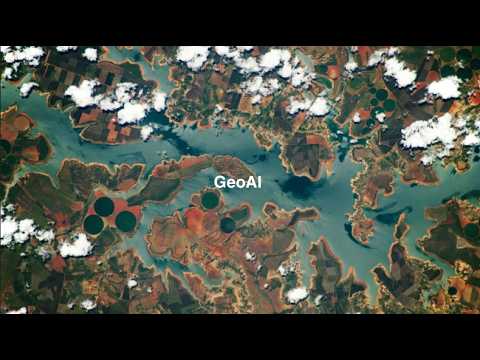
QCX is an experimental AI-first geospatial companion that lets you explore the planet (and beyond) through natural language + interactive maps.
- Chat with AI about any location, event, or spatial question
- Draw on the map → get measurements, analysis & AI insights
- Real-time geolocation, 3D view, time-zone aware reasoning
- Powered by multi-agent orchestration + generative UI
- Currently interpolating full chat ↔ map bidirectional integration
Built as a research prototype from QueueLab — exploring the frontier between natural language, spatial reasoning and artificial general intelligence.
- Conversational geospatial queries with tool-using agents
- Interactive Mapbox map with drawing, measurements & GeoJSON
- Generative UI via Vercel AI SDK (streaming React components)
- Multi-model support (Grok, OpenAI, Google, Bedrock, …)
- Efficient task routing to minimize unnecessary LLM calls
- Persistent chat + map state (Redis + database)
- Mobile-responsive chat + map experience
| Category | Technology |
|---|---|
| Framework | Next.js 15 (App Router + RSC) |
| Language | TypeScript 5.x + React 19 |
| Runtime | Bun |
| AI SDK | Vercel AI SDK |
| Models | Grok, OpenAI, Google, Amazon Bedrock, … |
| Search / RAG | Tavily, Exa |
| Database / Cache | Upstash Redis, PostgreSQL + Drizzle |
| UI Components | shadcn/ui, Radix UI |
| Styling | Tailwind CSS + Framer Motion |
| Maps | Mapbox GL JS + Mapbox Draw |
| Alternative Maps | Google Maps (optional) |
- Bun ≥ 1.1
- Node.js (only for compatibility checks — app runs on Bun)
# Install Bun (if not already installed)
curl -fsSL https://bun.sh/install | bashgit clone https://github.com/QueueLab/QCX.git
cd QCX
bun installcp .env.local.example .env.localFill in .env.local:
# AI providers (at least one required)
XAI_API_KEY=                 # https://console.x.ai
OPENAI_API_KEY=              # optional
GOOGLE_API_KEY=              # optional (Gemini)
BEDROCK_ACCESS_KEY_ID=       # optional
BEDROCK_SECRET_ACCESS_KEY=   # optional

# Search
TAVILY_API_KEY=
# or
EXA_API_KEY=

# Upstash Redis (for rate limiting, caching, prompt storage)
UPSTASH_REDIS_REST_URL=
UPSTASH_REDIS_REST_TOKEN=

# Mapbox (required for maps)
NEXT_PUBLIC_MAPBOX_ACCESS_TOKEN=

# Optional: database, analytics, etc.Note: Complex generative UI and tool calling works best with frontier models (Grok family, GPT-4o, Claude 3.5/4, Gemini 1.5/2, etc.). Smaller or local models may not format output correctly.
bun run dev
# or for production build preview
bun run build && bun run startWe welcome contributions — especially around:
- Better map ↔ chat integration
- New geospatial tools / agents
- UI/UX polish (mobile especially)
- Model output parsing robustness
- Performance optimizations
- See open issues
- Fork & create a branch
- Submit a PR with clear description
Read the in-depth architecture & component docs here:
→ https://deepwiki.com/QueueLab/QCX
- Grok-3-mini
- (add more models as tested — PRs welcome!)
Models with reasoning / heavy tool calling can sometimes break generative UI — test carefully.
QCX — Language is the new UI for exploring worlds.
Made with curiosity by QueueLab