
UNIVERSITY OF WEST ATTICA
SCHOOL OF ENGINEERING
DEPARTMENT OF COMPUTER ENGINEERING AND INFORMATICS
University of West Attica · Department of Computer Engineering and Informatics
Databases II
Vasileios Evangelos Athanasiou
Student ID: 19390005
Supervision
Supervisor: Periklis Andritsos, Associate Professor
Co-supervisor: Rania Garofalaki, Laboratory Teaching Staff
Athens, December 2023
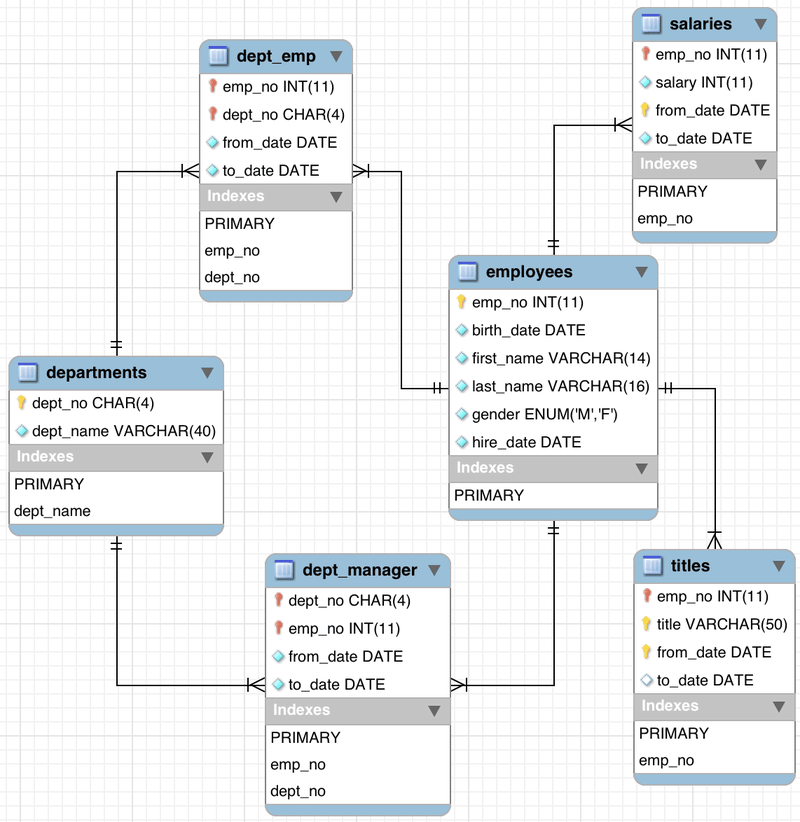
This repository contains a personnel database creation project developed for the Databases II course at the University of West Attica (UNIWA).
The focus is on creating a relational database with DEPT, JOB, and EMP tables, inserting sample data, and performing queries for analysis.
Before starting, ensure the following software is installed:
- MySQL (recommended)
- Alternative options:
- MariaDB
- PostgreSQL (minor syntax adjustments may be required)
A tool to execute SQL commands:
- MySQL Workbench (recommended)
- phpMyAdmin
- DBeaver
- Command-line MySQL client
- SQL commands:
CREATE DATABASE,CREATE TABLE,INSERT,SELECT - Foreign key relationships
- Aggregate functions:
SUM(),AVG(),COUNT(), etc.
Open a terminal/command prompt and run:
git clone https://github.com/Data-Bases-2/Create-Database.git- Open the repository URL in your browser
- Click Code → Download ZIP
- Extract the ZIP file to a local directory
- Launch your preferred SQL client (e.g., MySQL Workbench)
- Connect to your local or remote MySQL server
- Execute the following SQL command if the database does not exist:
CREATE DATABASE IF NOT EXISTS personnel;
USE personnel;Run the provided SQL script src/personnel.sql:
-- Example for DEPT table
CREATE TABLE DEPT (
    DEPTNO INT PRIMARY KEY,
    DNAME VARCHAR(50),
    LOC VARCHAR(50)
);

-- Example for JOB table
CREATE TABLE JOB (
    JOBCODE INT PRIMARY KEY,
    JOB_DESCR VARCHAR(50),
    SAL INT
);

-- Example for EMP table
CREATE TABLE EMP (
    EMPNO INT PRIMARY KEY,
    NAME VARCHAR(50),
    JOBNO INT,
    DEPTNO INT,
    COMM INT,
    FOREIGN KEY (DEPTNO) REFERENCES DEPT(DEPTNO),
    FOREIGN KEY (JOBNO) REFERENCES JOB(JOBCODE)
);
Tip: You can execute the full personnel.sql file in one step using your SQL client.
Populate tables with example records using the INSERT INTO statements in personnel.sql or refer to images in queries/ for visual guidance.
Check that the tables and sample data exist:
USE personnel;
SHOW TABLES;

SELECT * FROM DEPT;
SELECT * FROM JOB;
SELECT * FROM EMP;- Navigate to the
docs/directory - Open the report corresponding to your preferred language:
- English:
Create-Database.pdf - Greek:
Δημιουργία-ΒΔ.pdf
- English: